AI coding agents
Every coding agent in one Mac app
Termlux isn’t tied to one AI. It runs the coding agents you already use, each in the same chat you can read: Claude Code, Codex, Gemini CLI, GitHub Copilot CLI, OpenCode, Qwen Code and goose. Any other command-line agent runs in its terminals.
The same chat for every agent
Answers stream in, commands and file changes show as cards with their diffs, and the agent asks before it acts: Allow, Always or Deny. Its plan shows as a to-do list, and you pick its model and permission mode in the chat box. Esc stops it.
In the guide: Codex, Gemini and other agents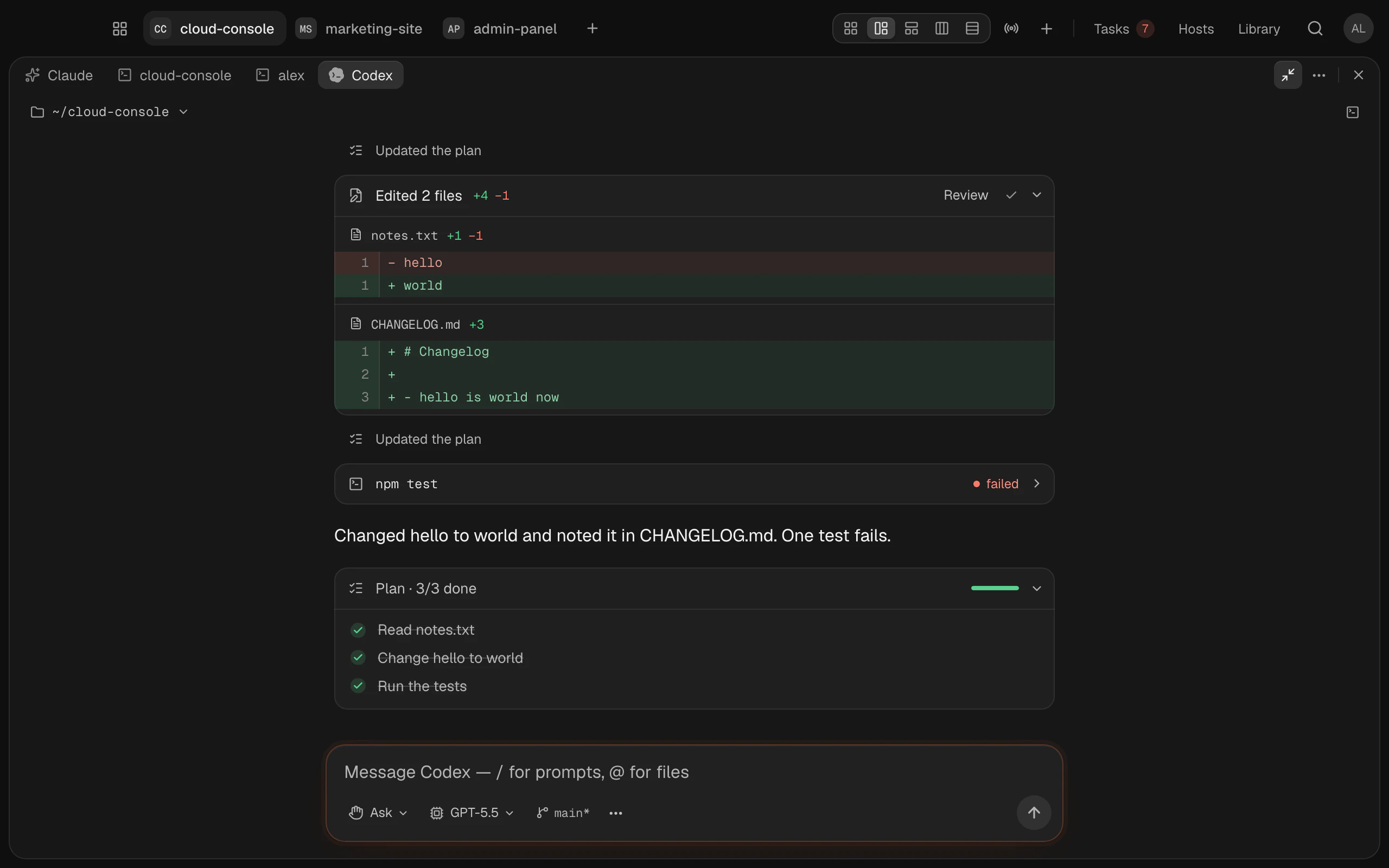
Your own plans, keys and models
Codex runs on your ChatGPT plan or an OpenAI API key, Gemini CLI on a Gemini API key, GitHub Copilot on your Copilot subscription, Claude Code on your Claude plan. OpenCode, Qwen Code and goose connect to the model provider you choose. With OpenCode, goose or Aider, that can even be a model running on your own machine. Termlux doesn’t sell or include any of them, and each agent talks to its provider directly, never through Termlux’s servers.
In the guide: Install and sign in to each agentSide by side in one project
A workspace holds several sessions at once: a Claude chat in one, Codex in another, a terminal beside them. Each workspace remembers which agent it’s for, and new workspaces start with the one you choose in Settings.
In the guide: Choose a workspace’s agent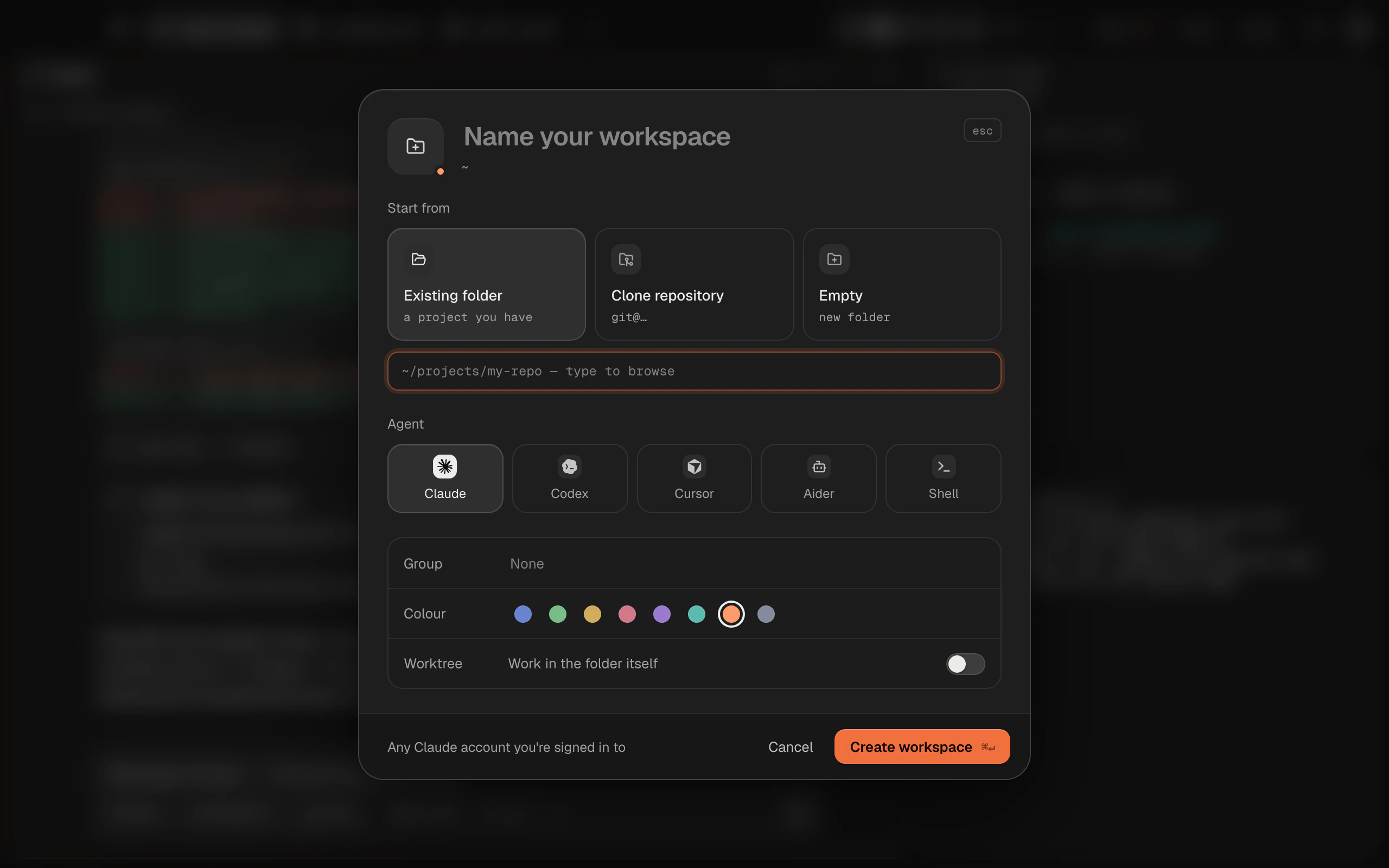
Any agent in a terminal
Cursor’s CLI, Aider or anything else you run in a shell works in a workspace’s terminal. Set it to start in every new terminal of that workspace, and paste images straight in: they’re saved to a file and their path typed for you.
In the guide: Agents in a terminalMore than agents
Every agent gets the rest of the workspace: terminals, a review of every changed line where you stage and commit, a task board, and your servers: SSH hosts, their files and port forwards.
In the guide: Review changes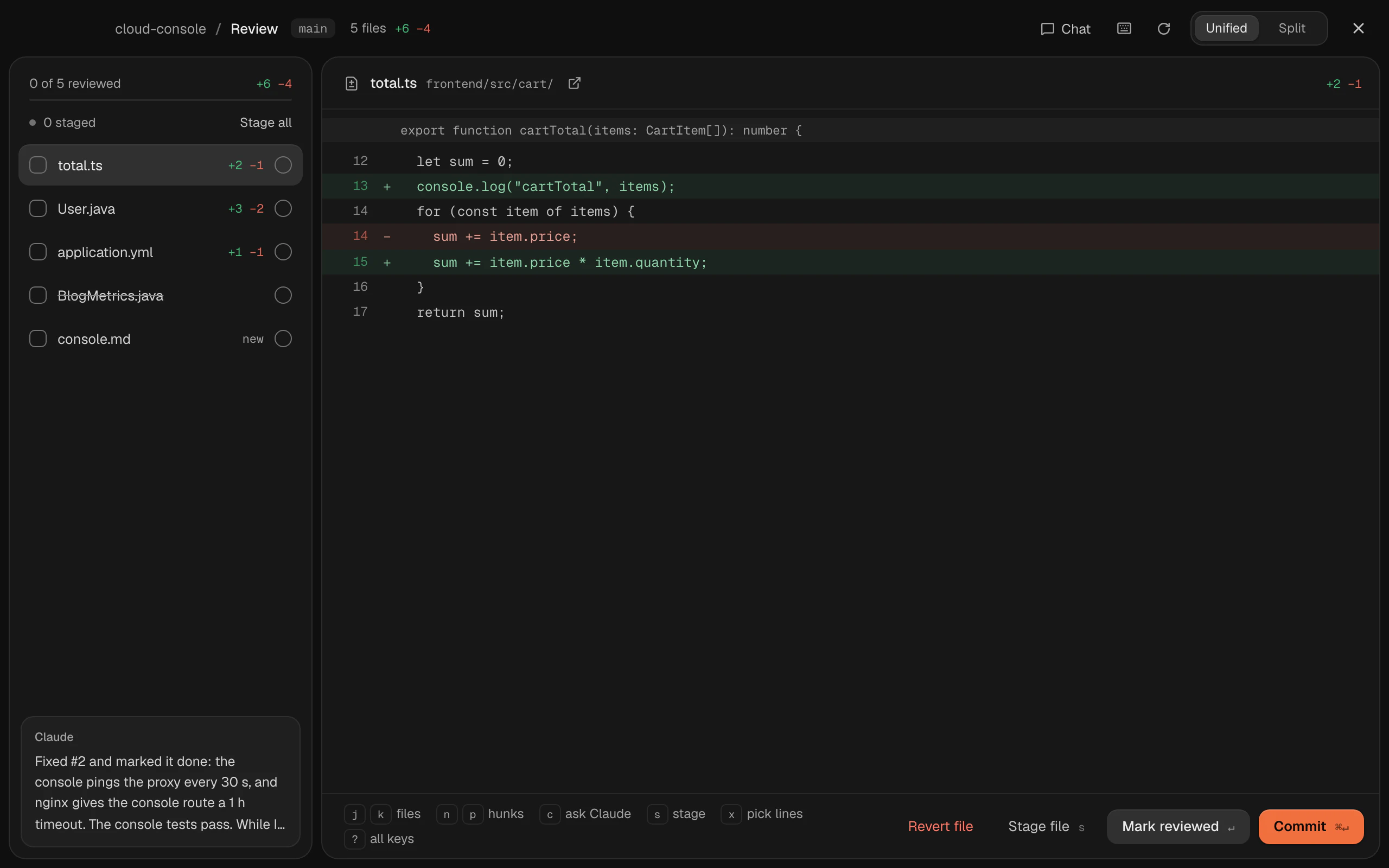
What Claude Code gets on top
A few things are Claude Code’s only: several Claude accounts, its usage limits and cost, Claude working from the task board and setting up your servers, searching past conversations, and chats that start in their own git worktree.
In the guide: Claude as a chatQuestions and answers
No. Claude Code is one of the agents Termlux runs, and the one it does the most for, but you can use Codex, Gemini CLI or another agent instead, or several side by side. You pick each workspace’s agent when you make it. A few things are Claude Code’s only: several Claude accounts, its usage limits and cost, Claude working from the task board, and searching past conversations.
Yes, through their own coding agents: Codex runs on your ChatGPT plan or an OpenAI API key, and Gemini CLI on a Gemini API key or a Gemini Code Assist Standard or Enterprise login. Both get the same chat as Claude Code.
Yes, through an agent that runs one: OpenCode and goose in the chat, Aider in a terminal. Point the agent at your model, and Termlux runs it as you set it up.
Yes. Open a Codex chat beside a Claude one in the same workspace, with terminals next to them. They share the project’s folder, so give each its own part of the work.
Nothing for the first 14 days: everything Termlux does, no card needed. Then Pro (€99 a year or €12 a month) or Team (€16 per person a month billed yearly, or €20 monthly). Prices include VAT; cancel any time.
Give your agents
a calm place to work
Free for 14 days. Download it, sign in with your email and type claude.