Claude accounts
Several Claude Code accounts on one Mac
Your work account, your personal plan, a client’s seat: log in to each once, then pick one per project or per chat, and move a conversation to another account without losing it.
No more logging out and back in
In a terminal, Claude Code keeps one login at a time: changing accounts means /logout and /login, or a CLAUDE_CONFIG_DIR of its own for each account, set up by hand. Termlux gives each workspace its own Claude folder, so every project stays signed in to its own account.
In the guide: Several Claude accountsOne per project, or one per chat
Set a workspace’s account in its settings, and its terminals and new chats use it. Any chat can use another: ··· › Claude account… lists every account on this Mac. Pick one, and Claude carries on with the same conversation on it.
In the guide: Switch account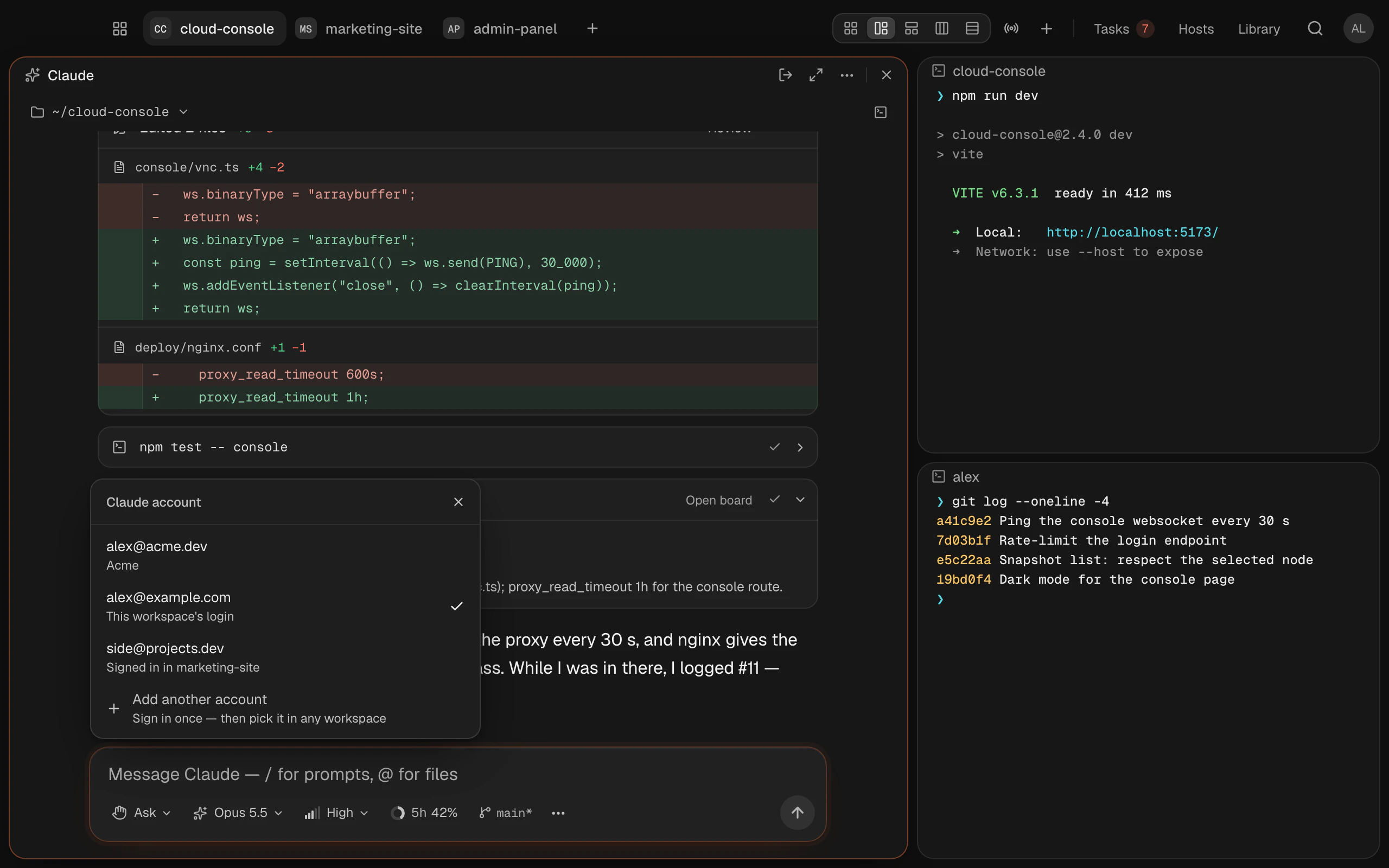
Every limit in one place
Usage & limits shows each account’s 5-hour and weekly limits side by side, so you can see which one has room left. Near a limit, Termlux can start the work when it resets.
In the guide: Usage & limits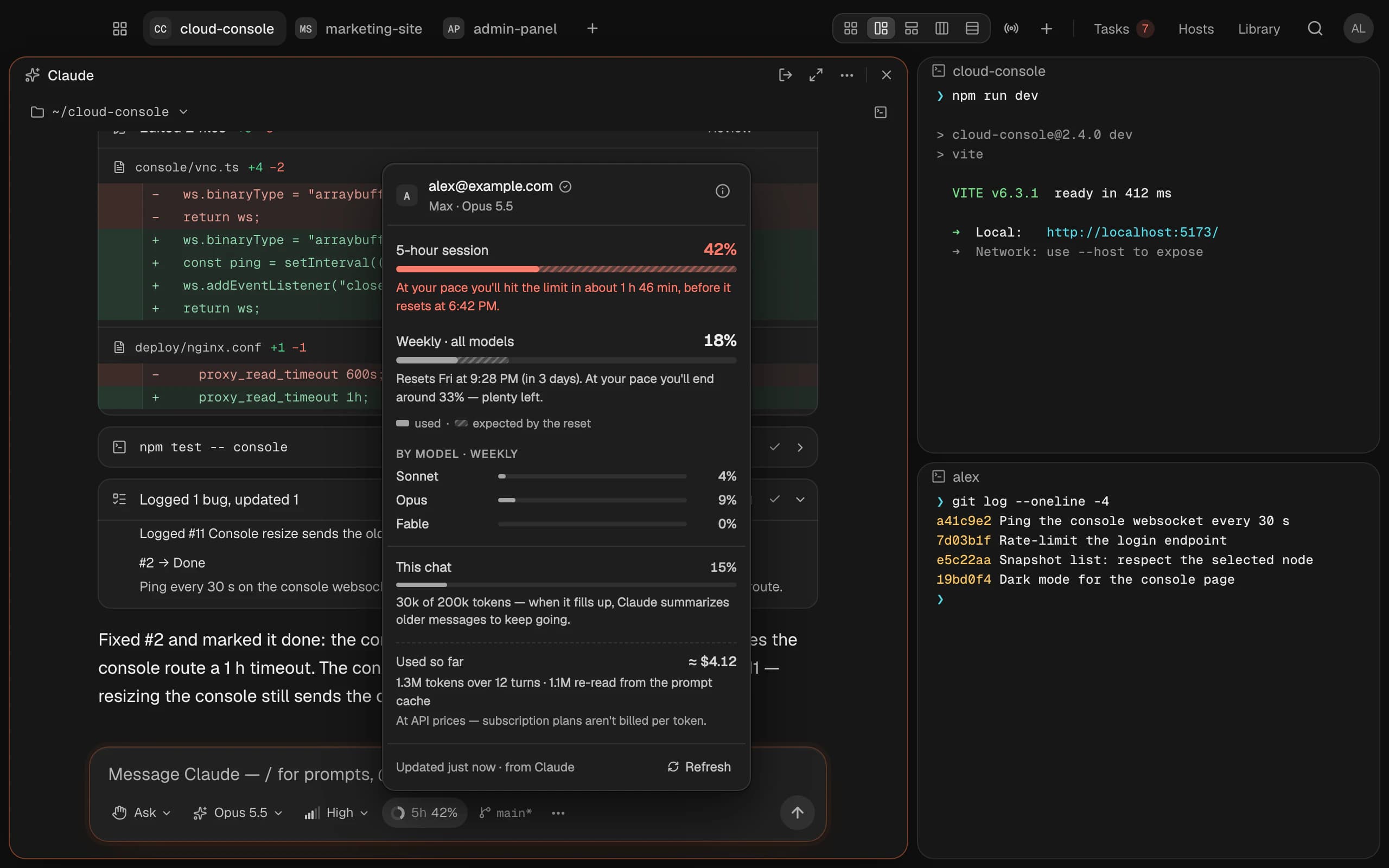
Your logins stay with Claude Code
You log in inside Claude Code, as always. Termlux never sees your password and doesn’t keep your login: it only tells Claude Code which account to use. The logins are Claude Code’s own Keychain items, one per workspace. Remove an account in Settings, and Claude Code logs out of it.
In the guide: Where secrets are keptQuestions and answers
No. The chat moves to the other account and Claude continues where you were, with the whole conversation.
Yes. Each account logs in its own way: Log in with Claude for a Pro or Max plan, or Use a Console account to pay by use with an API key.
Yes. Limits belong to the account, so every workspace and chat that uses it draws on the same 5-hour and weekly limits.
Nothing for the first 14 days: everything Termlux does, no card needed. Then Pro (€99 a year or €12 a month) or Team (€16 per person a month billed yearly, or €20 monthly). Prices include VAT; cancel any time.
Give your agents
a calm place to work
Free for 14 days. Download it, sign in with your email and type claude.