Review and commit changes
See every line Claude changed, file by file. Stage what's right, revert what isn't, tell Claude what to fix, then commit without leaving the app.
Open the review
From any of these:
- the branch chip in the chat box, then Review changes;
- Review changes in a block's menu, a workspace's tab menu or its row on Home ();
- and Review changes in ….
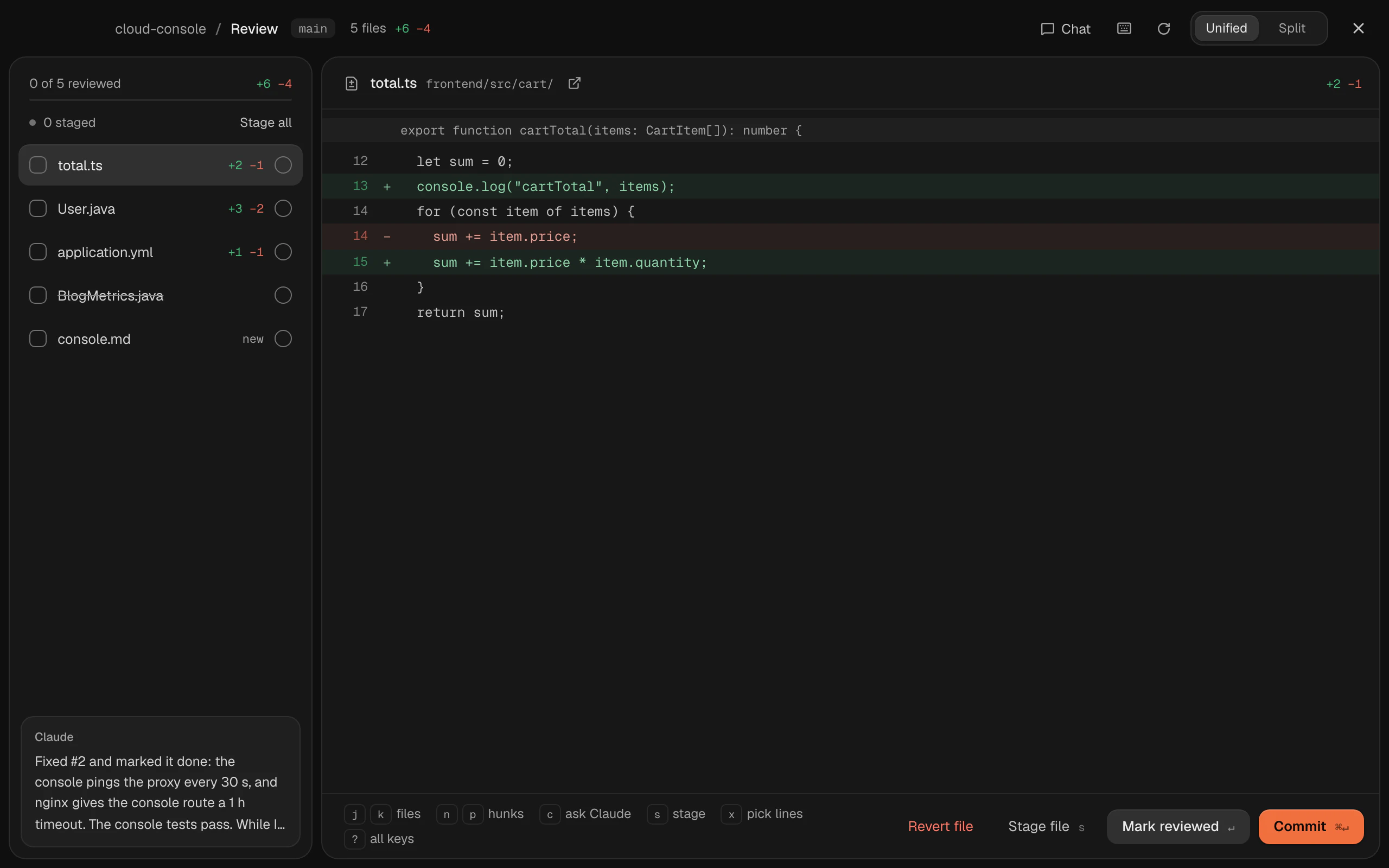
You see the files that changed, with lines added and removed, and the selected file's diff. Switch between Unified and Split views.
Go through the files
| Keys | What it does |
|---|---|
| Next / previous file | |
| Next / previous hunk | |
| Mark the file reviewed, or not | |
| Mark it reviewed and go to the next file | |
| Tell Claude what to change on this line | |
| Drop the picked lines, or close |
Tell Claude what to fix
Press on a line, write what should change, and send. It goes to the workspace's Claude chat with the file and line, and Open chat takes you there.
Stage what's right
Stage a whole file, one hunk or just a few lines:
| Keys | Stages or unstages |
|---|---|
| The file | |
| The hunk | |
| The line; add the lines above or below |
Stage all and Unstage all do every file; Stage the files you've ticked off stages the ones you marked reviewed.
Revert what isn't
A file's or a hunk's revert puts it back as it was in the last commit. Termlux asks before it reverts a file, or deletes a new one. A reverted hunk or lines can be put back with Undo in the message that follows.
Commit
1. Pick a type if you like: feat, fix, refactor, docs, test or chore.
2. Write the message: what changed, in one line. Keep the first line under 72 characters.
3. Optionally commit Only the N reviewed files.
4. Click Commit ().
Termlux commits on your branch. It doesn't push; do that in a terminal, or ask Claude.