Claude Code for Mac
Claude Code as a Mac app
Termlux runs the Claude Code you already use and shows it as a chat you can read: its answers, the tools it ran and every change it made. Your terminals, servers and task board sit beside it.
Runs the Claude Code you already have
Termlux starts the Claude Code installed on your Mac, with your plan: Claude Pro or Max, or a Console account that pays by use. Claude Code logs in itself, so Termlux never sees your Claude password. The options you use in the terminal work here too: --continue, --resume, --model, --permission-mode and --effort.
In the guide: Claude as a chat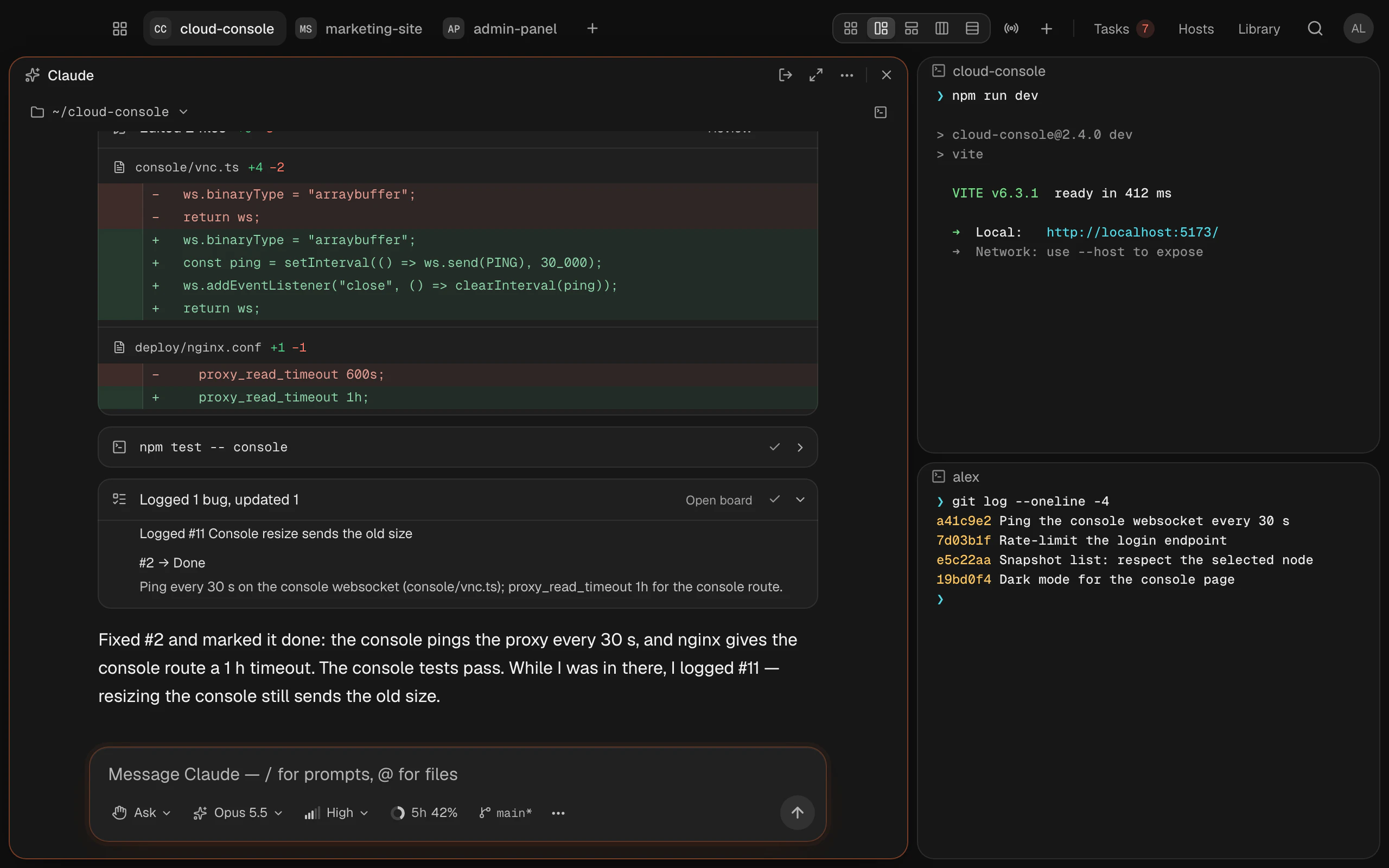
A chat you can read
Type claude in any terminal and it opens as a chat: answers in full, each tool it used, and the files it changed. When Claude asks to run a command or edit a file, the card shows exactly what it would do. Allow it, deny it, or allow that kind of action from now on.
In the guide: When Claude asks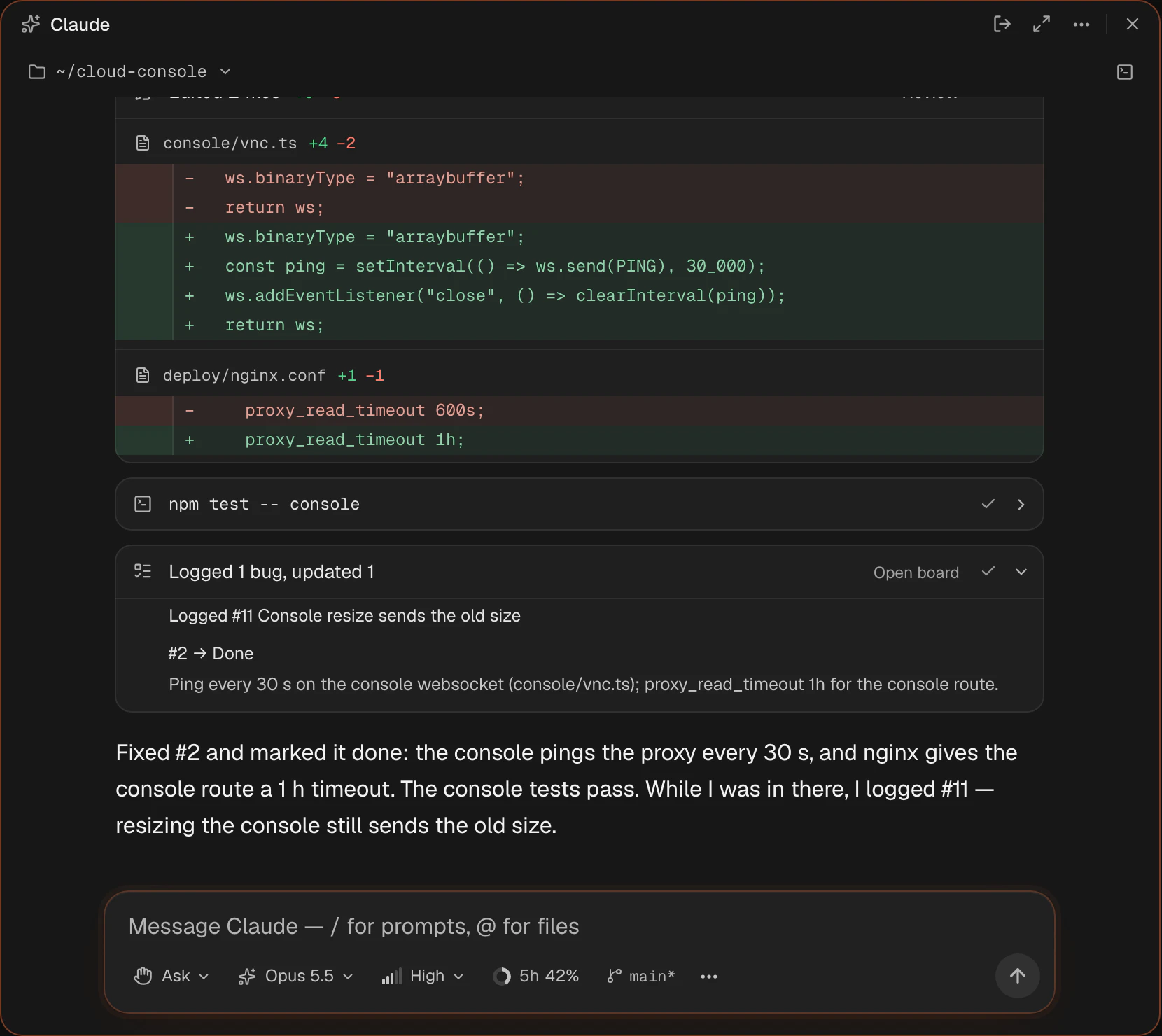
Review what it changed
Every change, file by file and line by line. Stage the lines you want and commit without leaving the chat, or undo what you don’t want.
In the guide: Review changes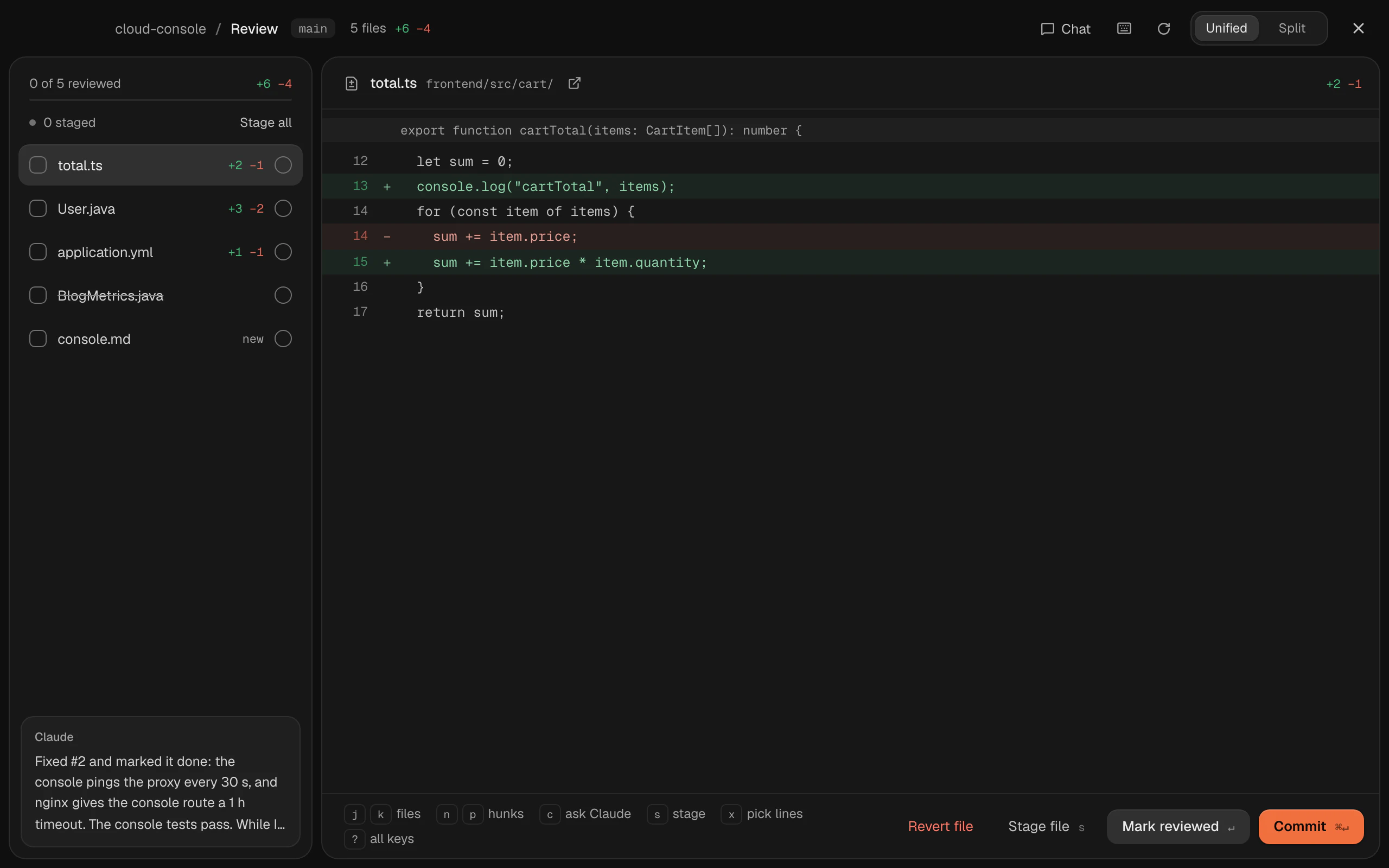
One workspace for each project
Each project gets its own folder, its own Claude login, its own history and its own task board. Run several chats side by side, give a task its own git worktree, and switch projects without stopping anything.
In the guide: Workspaces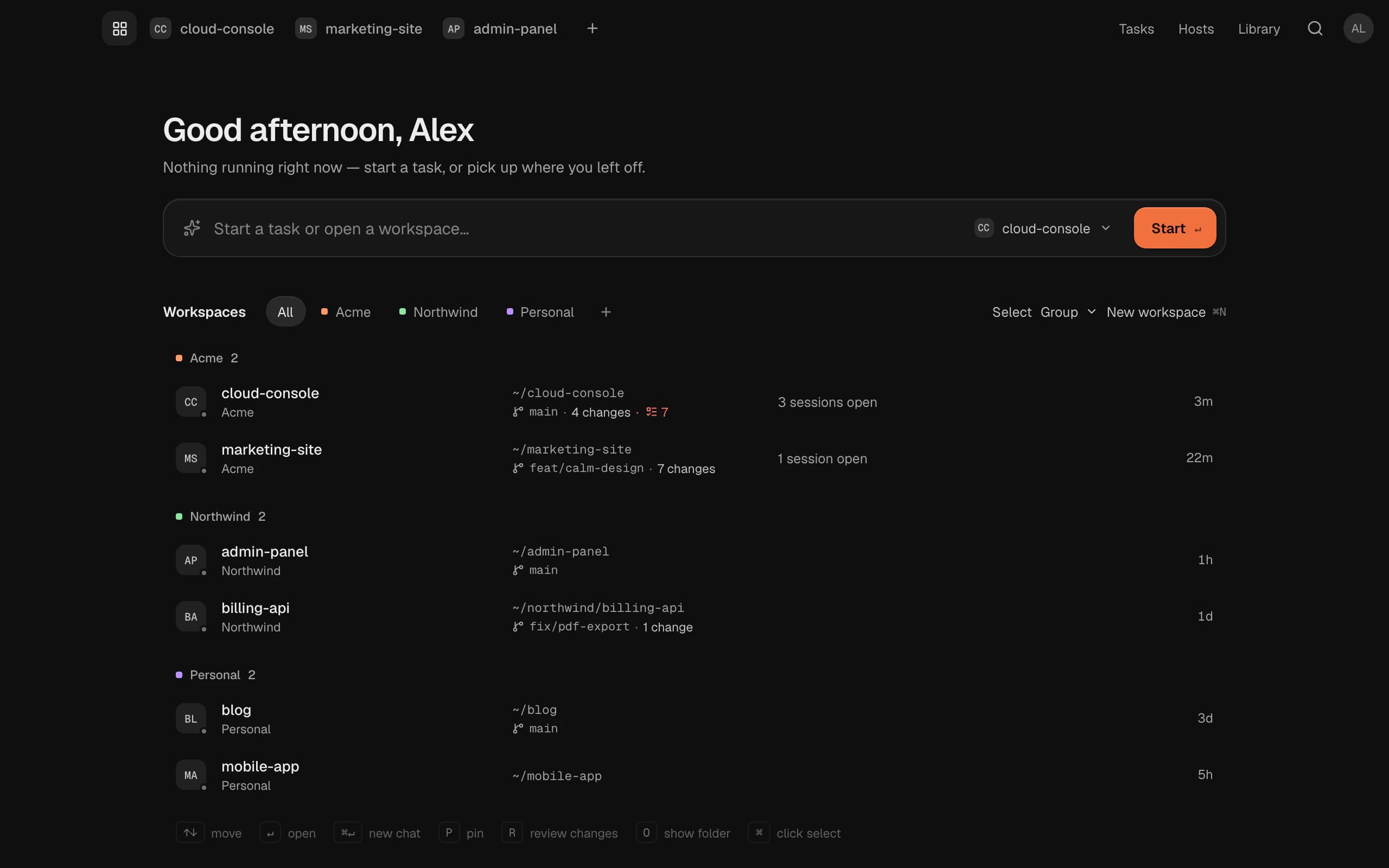
Still Claude Code, still a terminal
One shortcut flips any session between the chat and its terminal, and a setting makes claude open in the terminal by default. Codex, Gemini CLI, GitHub Copilot and more get the same chat.
In the guide: SessionsQuestions and answers
No. Termlux is an independent Mac app for AI coding agents. It runs Claude Code, which you install from Anthropic, and Codex, Gemini CLI and others the same way. Each talks to its maker directly, with your own login.
You need Claude Code and a way to use it: a Claude Pro or Max plan, or a Console account that pays by use with an API key. Claude’s usage stays on your plan; Termlux doesn’t add to it.
Nothing for the first 14 days: everything Termlux does, no card needed. Then Pro (€99 a year or €12 a month) or Team (€16 per person a month billed yearly, or €20 monthly). Prices include VAT; cancel any time.
Macs with Apple silicon (M1 or later) today. Termlux for Windows 10 and 11 comes with the next version. Intel Macs and Linux aren’t supported yet.
No. Your code, your terminals and your chats with your agents stay on your Mac. Each agent talks to its own provider directly, never through us. Our server holds only your account and what you choose to share between your Macs, with secrets stripped out.
Give your agents
a calm place to work
Free for 14 days. Download it, sign in with your email and type claude.