Codex, Gemini and other agents
Chat with Codex, Gemini CLI, GitHub Copilot, OpenCode, Qwen Code or goose in the same chat as Claude, or run any command-line agent in a workspace's terminal.
In the chat
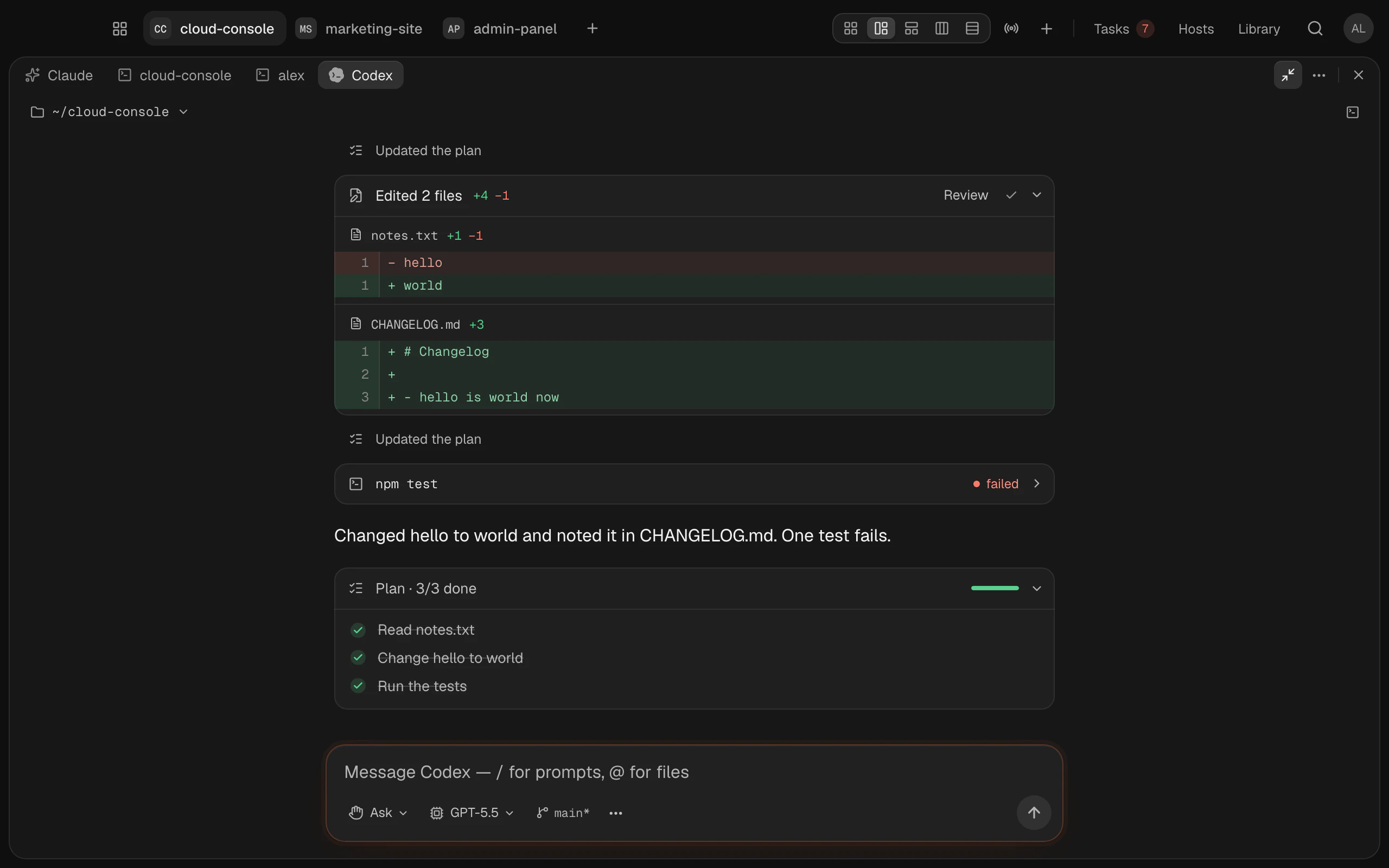
The chat isn't only for Claude. Open the + above a workspace's sessions › Other agents › New Codex chat, or another agent's. It's the same chat: answers stream in, commands and file changes show as cards with their diffs, the agent asks before it acts (Allow, Always, Deny), its plan shows as a to-do list, and you pick its model and permission mode in the chat box. Stop () stops it.
| Agent | Install it with | Sign in | |
|---|---|---|---|
| Codex | npm install -g @openai/codex | Your ChatGPT account, on a plan that includes Codex, or an OpenAI API key | |
| Gemini CLI | npm install -g @google/gemini-cli | A paid Gemini API key, or a Gemini Code Assist Standard or Enterprise login | |
| GitHub Copilot CLI | npm install -g @github/copilot | Your GitHub account, with a Copilot subscription | |
| OpenCode | `curl -fsSL https://opencode.ai/install \ | bash` | Run opencode and connect a model provider with /connect |
| Qwen Code | npm install -g @qwen-code/qwen-code@latest | Run qwen and connect a provider with /auth | |
| goose | Its install script, from goose-docs.ai | Run goose configure and pick a provider |
You can also type codex in a workspace's terminal: it opens as a Codex chat in that folder, like claude opens Claude's. codex followed by a prompt, such as codex fix the failing test, sends it as the first message. codex login, codex update and Codex's other commands, and codex with any option, still run in the terminal. For Codex's own screen, type command codex, or turn off Settings › General › Typing claude opens the chat, which covers codex too.
Installed agents are listed first. One that isn't installed still opens: its chat says how to install it, and Install … types the command into the terminal for you to watch.
Each agent has its own login and plan; Termlux doesn't sell or include them. Since June 18, 2026 Google no longer serves Gemini CLI for free Google logins or Google AI Pro and Ultra; it moved those to Antigravity CLI, which can't run in the chat yet. Codex, Gemini CLI, Copilot, OpenCode, Qwen Code and goose speak open protocols (Codex its app server, the others the Agent Client Protocol), so Termlux runs the agent you installed, as it is.
A few things are Claude's only: Claude accounts, the plan's usage and limits, a chat's cost, effort and fast mode, Undo changes since here, sending a command to the background, the MCP servers panel, Termlux's task and host tools (Claude working from the board, setting up your servers), searching past conversations with ⌘⇧F, and chats or tasks that start in their own worktree. A conversation stays with the agent it started with.
In a terminal
Any command-line agent runs in a workspace's terminal too.
Which agents
| Agent | What Termlux keeps apart per workspace |
|---|---|
| Claude Code | Its login, chats and settings; it can share an account |
| OpenAI Codex CLI (beta) | Its login and settings |
| Cursor CLI (beta) | Its settings. Its login is the same in every workspace |
| Aider (beta) | Nothing: give a workspace its own API key in its environment variables |
| Plain shell | Nothing set up for an agent |
Install the agent itself as its makers describe; Termlux runs the one on your Mac.
Choose one
- For a new workspace: Agent in New workspace.
- For an existing one: Workspace settings › Agent & startup.
- The one new workspaces start with: Settings › General › Default agent.
The choice tells the workspace which agent it's for; it doesn't start anything by itself.
Start it
Type its command in the workspace's terminal, such as cursor-agent or aider. codex opens the chat instead; command codex runs it in the terminal. To have it start in every new terminal of a workspace, set Workspace settings › Agent & startup › Auto-start to that command.
Pasted images are saved to a file and their path typed in, so agents that read image paths (Claude Code and Codex) attach them.