Settings
Every setting, what it does and where it starts. Press ⌘, to open them, then type in the search box to find one.
Open Settings with . Type in Search settings (or press ) to find one. Settings stay on the Mac you set them on.
General
| Setting | What it does | Starts as |
|---|---|---|
| Default agent | The agent new workspaces start with: Claude Code, Codex, Cursor, Aider or a plain shell | Claude Code |
| Restore sessions on launch | Brings back your sessions, their folders and Claude conversations | On |
| Typing claude opens the chat | claude or codex in a terminal opens the chat; off, they run in the terminal. For terminals opened afterwards | On |
| Paste mode | Direct types one line as it is, skipping Claude Code's "Paste N lines" preview; more than one line is pasted as a block. Bracketed pastes everything as a block. always pastes as a block | Direct |
| Ask before sending into a cold chat | Before a long chat that went idle re-reads everything, offers to continue from a summary | On |
| Offer to summarize before a big chat goes cold | Offers the summary just before the cache runs out | On |
Appearance
| Setting | Choices | Starts as |
|---|---|---|
| Chat text size | Small, Default, Large, Larger | Default |
| Terminal theme | Calm, Termlux Default, Dracula, Solarized Dark, Nord, Tokyo Night, Gruvbox Dark, One Dark | Calm |
| Font | Geist Mono, JetBrains Mono, SF Mono, Menlo, Fira Code, MonoLisa | Geist Mono |
| Font size | 9–22 | 12 |
| Line height | 1–1.6 | 1.15 |
| Cursor style | Bar, Block, Underline | Bar |
| Blinking cursor | On or off | On |
| Background opacity | 55–100% | 100% |
Reset appearance puts them all back.
Notifications
- Allow notifications: when Claude needs you, a task is done or blocked, a long command finishes, or a trigger fires. On unless you turn it off.
- Push to your phone: the same notifications through ntfy. Set a Topic to turn it on.
- Triggers: patterns in terminal output that notify you or ring the bell.
All three are explained in Notifications.
Workspaces & privacy
- What a workspace keeps apart: what each workspace has of its own (its Claude login, chats and shell history) and what's the same in all of them. See Workspaces.
- Send crash reports: off unless you turn it on. See what a report contains. It applies the next time Termlux starts.
- Live sessions: Stop all ends every session in every workspace.
Updates
- Version: the one you have, marked Beta on a beta.
- Beta updates: only on Termlux team accounts, which test each version first. Everyone else gets stable releases.
- Check for updates: Check now.
More in Updates and betas.
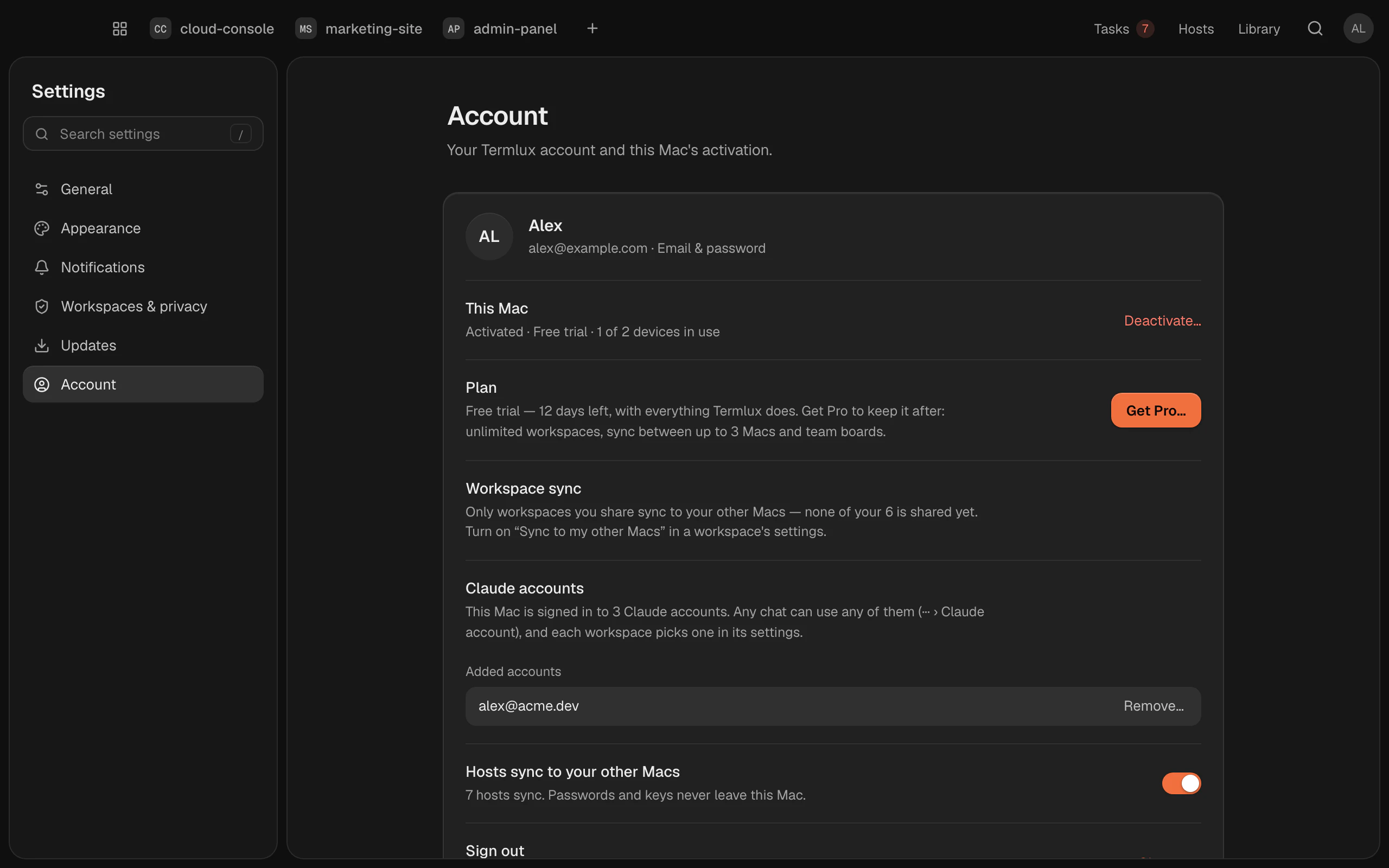
Account
- Your account, and how you sign in.
- This Mac: activated, your plan, how many devices are in use, and Deactivate….
- Workspace sync: how many of your workspaces you share, and the ones removed from this Mac (Follow again).
- Hosts sync to your other Macs: on unless you turn it off.
- Sign out…